Preview Eye Detection
The preview eye detection view allows a moderator to ensure the camera is properly aligned with a student’s face prior to beginning your Activity Session with a student.
Instructions
-
Select an Activity to use With your Student
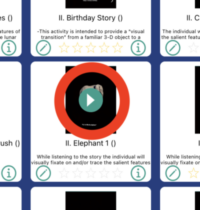
Touch the play icon in the center of the desired Activity.
-
-
Read the Activity Instructions and Press ‘OK’
-
Select 'Preview Eye Detection' from the Menu Shown
-
Align the Student's Face within the Camera View Shown
The iPad’s forward facing camera will record more accurate data if the iPad is stabilized through the session. Note, the data collection still works even if the iPad cannot be stabilized.
After you have aligned the camera, be sure to keep the iPad in the same position during the remaining steps.
-
When you are Done, Touch Off the Screen or Touch 'OK'
-
Press 'Play' to Beging the Activity Session